
Avvio
Documentation

Role guide

What each role sees, controls, and owns inside the app.

This guide explains the owner, manager, team member, and client experience so each person understands what they are responsible for and what part of the workflow they should use.

Owners stay at the business and oversight level.

Managers control quote review, onboarding, payment, and assignment.

Team members work from assigned delivery views.

Clients see progress, payments, chat, and required access sharing.

Role visibility also depends on the agency plan. Some agencies may not have billing history, custom quote services, project chat, PayPal requests, manual payment instructions, or shared credentials enabled.
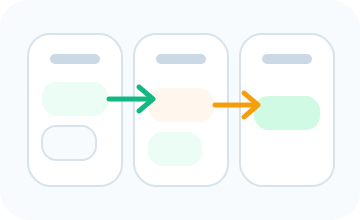
Overview of role-based access for owners, managers, team members, and clients.
Agency owner

See the business clearly without living inside every task.

Owners use the platform to monitor operational performance across intake, client flow, payment readiness, projects, and agency structure without managing every handoff manually.

Agency owner role view inside the Avvio workspace.

What they see

  • Agency-level dashboards and operating summaries
  • Users, agencies, and billing oversight
  • Progress across quotes, projects, and clients

What they do

  • Create or manage agency accounts
  • Monitor subscriptions and agency growth
  • Review business performance at a higher level

Manager

Move work from quote to delivery with operational control.

Managers decide what is ready, what is blocked, what needs payment, and who should take the work. This is the role that connects client intake with execution.

Billing history, PayPal requests, manual instructions, and custom quote catalogs depend on the agency plan and billing setup.

Manager role view inside the Avvio workspace.

What they see

  • Quote pipeline, onboarding checklist, and client billing
  • Project assignment, task boards, and activity history
  • Agency settings, invites, and branding controls

What they do

  • Review quotes and verify onboarding requirements
  • Create payment links or log payments
  • Convert quotes into projects and assign the right team
Team member

Focus on assigned delivery instead of chasing context.

Team members work from the assignments they have been given. They do not manage the full quote or business pipeline, but they always have the context needed to move the project forward.

Chat and shared credential access appear only when those portal features are included in the agency plan.

Team member role view inside the Avvio workspace.

What they see

  • Personal delivery dashboard and assigned tasks
  • Project chat, files, and client-shared credentials
  • Active and archived delivery work tied to projects

What they do

  • Update task status and work through assigned tasks
  • Coordinate in project chat with managers and clients
  • Stay aligned on priorities, due dates, and deliverables
Client

See progress, pay open requests, and stay aligned without seeing internal operations.

Clients get a cleaner portal focused on visibility and communication. They can follow progress, respond in chat, pay open links, and share credentials when the agency needs access.

Chat and shared credential access appear only when those portal features are included in the agency plan.

Client role view inside the Avvio workspace.

What they see

  • Client dashboard with projects, payment requests, and updates
  • Project timeline progress instead of internal task management
  • Shared credentials and project-specific communication

What they do

  • Pay open invoice or hosted payment links
  • Share credentials like cPanel, registrar, or CMS access
  • Review timeline progress and communicate with the agency team